Wedding video guestbook
A wedding video guestbook in their own voices.
Give your guests one wedding link for video messages and memories. Put the QR code on a table card, share it with family abroad, and explain the short sign-in and upload steps.
Free to explore. Included in Essentials at $59 USD per wedding.
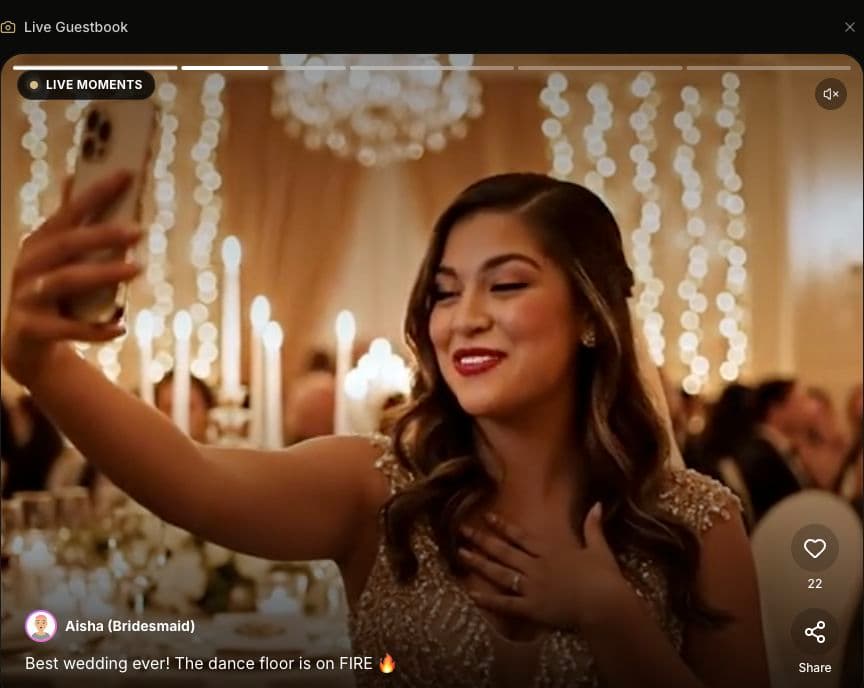
One place for messages
Guests open the wedding page to contribute a saved video and message. The same link can also provide their seating lookup, so you can explain both uses on your welcome signage.
Contribute from a phone
Guests record with their phone camera, then select a video in the browser upload flow. They sign in before submitting. A short sample message helps them understand what to send and how to finish the upload.
Include people at home
Share the link with invited relatives who cannot attend. They can prepare a message without joining a live session. Have someone test access and upload on the devices your family uses.
How to set it up
- 1
Prepare the wedding page
Create your wedding and check its guestbook and visibility settings. Open the guest link on a second device to see the experience guests will get, including any sign-in step.
- 2
Share a clear prompt
Put the QR code beside a simple request: record a short wish, open the wedding link, sign in, and upload. Suggest a quiet corner away from the DJ so voices remain understandable.
- 3
Confirm a saved message
Choose a short video, add the message, and submit. Wait for completion and verify that it appears in the guestbook. Keep the original clip on the phone until the upload succeeds.
Choose a dedicated message moment, coordinate with your MC, and test the screen and sound. Premium is needed for projector mode.
Before the wedding
Make uploading realistic
The upload interface accepts videos up to 100 MB. Shorter clips are easier to transfer over a busy venue network; successful uploads still depend on file format, connection, and processing. Test a real clip before the event and keep an alternative way for relatives to send a message.
Agree what can be shared
Tell guests whether messages may appear on the wedding page or reception screen. Check visibility settings and review your display workflow before inviting contributions. Keep your own copies of important videos rather than treating hosted storage as a permanent archive.
Common questions
Do guests need to sign in to upload?
Yes. Guests sign in before submitting a video. They can open the wedding link in a browser without installing a dedicated Amara app. Include the sign-in step in your QR-card instructions and test it in advance.
Can guests record before the wedding?
Guests can record a message on their phone in advance and upload the saved video when your wedding page is available for contributions. Test the wedding's settings and share clear instructions with your invitees.
How much does the video guestbook cost?
The video guestbook is included in Amara's $59 USD Essentials wedding package. Premium is $179 USD and adds the live video wall and projector mode. You can explore Amara before activating a package.
Is a video guestbook the same as live streaming?
No. A guestbook contribution is an uploaded video message that can be played later. A live camera feed is part of an active live session. Do not assume that broadcasting also saves a guestbook video.
What if the venue connection is slow?
Ask guests to keep their recorded clip and try uploading again on a stable connection. Check that a contribution appears after submitting it. A helper and a sample upload are more useful than promising that every device or network will work immediately.
Plan the details
All wedding guidesPlan your digital wedding guestbook
Choose how guests will share messages and memories.
Wedding projector ideas
Explore ways to show guest videos at the reception.