Live wedding video
Wedding live streaming, from guest cameras to the big screen.
Share guest camera feeds through your wedding link and show the celebration on a venue screen. Plan the internet connection, camera permissions, and screen setup before the day.
Free to explore. Included in Premium at $179 USD per wedding.
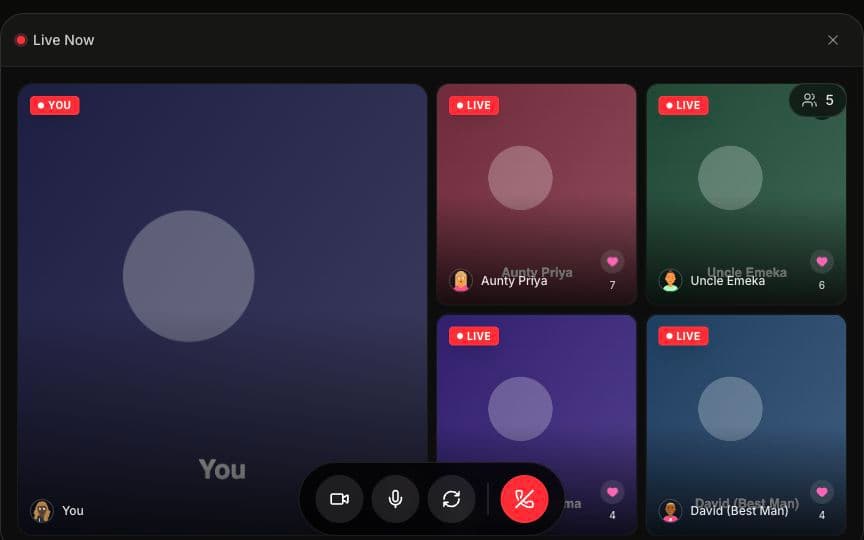
Guest camera perspectives
Signed-in guests can join live video from the wedding experience and allow their camera and microphone. A browser link brings them to the event without installing a dedicated Amara app.
A venue video wall
Use Premium's projector mode with a laptop connected to your venue display. The software brings the feeds together; the laptop, screen, appropriate adapter, and internet connection are separate parts of the setup.
A link for family abroad
Share the wedding page with remote relatives and rehearse viewing from their actual devices. The host's live session, viewing settings, and both sides' connections determine what they can see.
How to set it up
- 1
Choose the moments
Decide whether you want a ceremony view, a reception wall, or a short greeting with relatives abroad. Assign someone to operate the session and tell camera contributors when to join.
- 2
Connect and rehearse
Open the wedding on a laptop, connect it to the venue screen, and select the correct display input. Test camera permissions, microphone levels, and viewing on a second device using the venue network.
- 3
Host the live session
Start the session, help signed-in contributors join, and check what remote viewers actually receive. Keep one audio source near the room speakers to reduce the chance of feedback.
Plan time zones, invitations, device tests, an operator, and an offline fallback before sharing the final link.
Before the wedding
Test where the camera will be
A speed test at the venue office does not establish reception coverage. Try the intended camera and display positions, with several devices connected, and ask the venue about guest-network limits or login expiry. Keep chargers and a spare compatible cable close by.
Prepare a fallback and a keepsake
If live video stalls, reduce the active feeds and use an agreed backup. Record key moments separately if you want a keepsake: live streaming is distinct from saved guestbook uploads and does not promise an automatic ceremony recording.
Common questions
What does wedding live streaming cost?
Amara's Premium package is $179 USD per wedding and includes the live video wall and projector mode, alongside Essentials features. Venue AV rental, equipment, connectivity, and an operator are separate costs if you need them.
Do guests need an account or an app?
There is no dedicated Amara app to install. Guests who contribute live camera feeds must sign in and grant browser camera and microphone permission. Check the wedding's viewing settings when rehearsing remote access.
Can I use a projector or TV?
Use a display that your laptop can connect to, typically through HDMI or an appropriate USB-C adapter. Select the correct input and rehearse the browser's full-screen display. Check readability at the venue under the lighting you will actually use.
Will this work for family in another country?
Invite someone in each important location to a rehearsal using their actual device and network. Availability, local network restrictions, browser permissions, and connection quality vary. Share the event date and time in each household's local time zone.
Does Amara automatically record the live stream?
Do not rely on the live video wall as an automatic recording. Plan a separate camera recording for vows and speeches. Guests can also save and upload video messages to the video guestbook.
Plan the details
All wedding guidesStream your wedding to family abroad
Plan remote viewing and prepare your venue connection.
Wedding projector ideas
Explore ways to show guest videos at the reception.