How to Stream Your Wedding to Family Abroad
When your guest list spans continents, not everyone can be in the room. Grandparents in another country, cousins who couldn't get time off, friends who moved abroad — they all want to be part of your day.
Live streaming your wedding isn't complicated anymore. Whether you need to stream your wedding to India for Nani who hasn't missed a family celebration in sixty years, or stream your wedding to Nigeria so your aunties in Lagos can spray virtual naira and feel the owambe spirit — the technology is finally built for moments like these.
Here's how to set it up so distant family feels like they're right there with you — not watching a security camera feed.
Key Takeaways
- Browser-based streaming (no app download) is essential — especially for older relatives who won't install an app
- Two-way video > one-way streaming — remote guests who appear on the venue's big screen feel present, not sidelined
- Time zone planning matters — send the schedule in advance with local times for each country
- Zoom feels like a work meeting; wedding-specific platforms feel like a celebration
- Do a test run 2–3 days before the wedding with your key remote guests to catch issues early
- Internet conditions vary dramatically between countries — your platform needs to handle everything from fiber in London to mobile data in rural Rajasthan
When Your Guest List Spans Continents
International weddings are more common than ever. According to a 2025 Zola study, 45% of couples have immediate family members in another country. For South Asian, Nigerian, and Gulf diaspora couples, the number is closer to 80%.
And it's not just about distance — it's about the emotional weight of absence. A 2025 report from The Knot found that 62% of couples said having family unable to attend was their single biggest wedding regret. That number jumped to 78% among first-generation immigrant couples.
The math is often brutal. A round-trip flight from Mumbai to New York averages $1,200–$1,800 per person (Google Flights, 2026). For a family of four, that's $5,000–$7,200 before hotels and time off work. From Lagos to Houston, you're looking at $1,400–$2,200 per ticket, plus visa processing that can take months with no guaranteed approval. For many families, attending in person simply isn't possible — regardless of how much they want to be there.
That's where live streaming transforms a wedding from something distant relatives hear about later to something they experience in real time.
A good wedding live stream should:
- Work without downloads or accounts (especially for less tech-savvy relatives)
- Let remote guests participate, not just passively watch
- Be accessible on any device — phones, tablets, laptops
- Handle different internet speeds gracefully
- Feel like part of the celebration, not a corporate meeting
Why Two-Way Streaming Changes Everything
There's a fundamental difference between watching a wedding and being at a wedding. One-way streams — YouTube Live, Facebook Live, Instagram Live — let your family see what's happening. Two-way streaming lets your family be part of what's happening.
Think about what actually makes a wedding feel like a wedding. It's not just the ceremony unfolding in front of you. It's the moment Dadi catches your eye and starts crying. It's your uncle in Lagos standing up to shout blessings from across the room. It's the collective gasp when you walk in.
A one-way stream removes all of that. Remote guests become an audience. Two-way streaming makes them participants — their faces visible on the big screen, their voices heard in the room, their reactions shared in real time with everyone celebrating in person.
According to The Knot's 2026 Real Weddings Study, couples who used two-way streaming reported that 89% of their remote guests said they felt "genuinely included" in the celebration — compared to only 41% for one-way streams. That's not a marginal difference. That's the difference between watching a recording and making a memory.
For diaspora families especially, where the people who matter most might be the ones furthest away, two-way participation isn't a nice-to-have. It's the whole point.
How to Choose the Right Streaming Platform
Not all streaming options are equal for weddings. Here's how they compare:
| Platform | Two-Way Video | App Required | Wedding Features | Privacy | Cost |
|---|---|---|---|---|---|
| Amara | Yes (on big screen) | No | Seating + guestbook + projector | Private link | $49–$149 |
| Zoom | Yes | Yes (best experience) | None | Password + waiting room | Free (40-min limit) |
| Google Meet | Yes | No (browser) | None | Link-based | Free |
| Facebook Live | No (one-way) | Account needed | None | Limited | Free |
| Instagram Live | No (one-way) | Account needed | None | Public/followers only | Free |
| YouTube Live | No (one-way) | No | None | Unlisted links | Free |
| EventLive | No (one-way) | No | Ceremony focused | Private | $50/event |
| Lovecast | Limited | No | Interactive chat | Private | Free tier |
Social media (Instagram Live, Facebook Live, YouTube)
- Free and familiar — but one-way only. Viewers can comment but not appear on video
- Guests need accounts. Risk of notifications and ads disrupting the experience
- No privacy controls unless you use unlisted links
- Facebook Live compression can be harsh on lower bandwidth connections — a real issue when you're streaming to relatives in tier-2 Indian cities or rural Nigerian towns
Zoom / Google Meet
- Familiar to most people with two-way video
- But: Zoom requires an app download, meeting links feel corporate, and the free tier has a 40-minute limit (your pheras alone might take longer than that)
- No integration with seating charts, guestbooks, or any wedding-specific features
- Google Meet works in-browser, which is better for accessibility, but the interface still screams "Tuesday morning standup" — not "the most important day of your life"
Wedding-specific platforms (Amara, EventLive, Lovecast)
- Built for the occasion
- Amara is a wedding platform that combines live video streaming, digital guestbooks, and seating charts — with two-way video that puts remote guests on venue screens
- EventLive and Lovecast focus on one-way ceremony streaming
For family abroad who just need to watch the ceremony, any free option works. For family who should feel present — appearing on the big screen, leaving video messages, seeing the live feed — you need a platform built for participation.
Why "No Download" Matters More Than You Think
Here's a scenario that plays out at nearly every diaspora wedding: You send a Zoom link to your 73-year-old grandmother in Jaipur. She taps the link on her Android phone. Zoom prompts her to download the app. She's never been to the Play Store. Her granddaughter tries to walk her through it on a WhatsApp call — but by the time the app is installed, the ceremony is halfway done.
Now multiply that by every aunt, uncle, and cousin who's joining from a different device, a different country, a different comfort level with technology.
According to a 2025 Brides.com survey, 34% of couples who live-streamed their wedding said at least one family member couldn't join due to technical difficulties. The number one issue? App downloads and account creation.
Browser-based streaming — where guests tap a link and they're in — eliminates this entirely. No app store, no login, no "please update your software." Just a link that works.
Platform Comparison: What Matters for International Streaming
When your guests are joining from multiple countries, the comparison criteria shift. Here's what actually matters for diaspora couples:
| Feature | Why It Matters for International Guests | Amara | Zoom | YouTube Live |
|---|---|---|---|---|
| Adaptive bitrate | Adjusts for slow connections in rural India/Nigeria | ✅ | ✅ | ✅ |
| No app download | Critical for older relatives, unfamiliar devices | ✅ | ❌ | ✅ |
| Two-way video | Lets remote guests appear on venue screen | ✅ | ✅ | ❌ |
| No time limit | Ceremonies can run 2+ hours | ✅ | ❌ (40 min free) | ✅ |
| No account required | Removes login friction for guests | ✅ | ❌ | ❌ (commenting) |
| Video guestbook | Recorded messages from remote guests | ✅ | ❌ | ❌ |
| Private by default | No public discoverability | ✅ | ✅ | Unlisted only |
| Works on mobile data | Degrades gracefully on 3G/4G | ✅ | Partial | ✅ |
You can compare platforms in detail to find the right fit for your guest list.
How to Stream Your Wedding to India: What Every Diaspora Couple Needs to Know
If you need to stream your wedding to India, there are a few country-specific considerations that generic streaming advice misses.
Internet infrastructure varies wildly. Your cousin in Bangalore might have 100 Mbps fiber. Your grandmother in a smaller city might be on a 4G connection that fluctuates between 5 Mbps and barely-there. According to Ookla's 2025 Speedtest Global Index, India's median mobile download speed is approximately 30 Mbps — but that average masks enormous regional variation. Your streaming platform needs adaptive bitrate streaming, which automatically adjusts video quality based on each viewer's connection speed.
Time zone math for Indian guests. India Standard Time (IST) is UTC+5:30 — that half-hour offset catches people off guard. A 6 PM ceremony on the US East Coast is 3:30 AM in India. A noon ceremony is 10:30 PM — much more manageable. If you have significant family in India, consider scheduling your ceremony earlier in the day so it falls before midnight IST.
WhatsApp is the communication channel. Don't email the stream link — WhatsApp it. In India, WhatsApp has over 500 million users (Statista, 2025), and it's often the only messaging app family members check regularly. Send the link in the family group chat a day before, then again 30 minutes before the ceremony.
Multi-day celebrations. Indian weddings often span multiple events — mehndi, sangeet, baraat, pheras, reception. Consider which events you'll stream. At minimum, most families want the ceremony (pheras or nikah) streamed live. The sangeet and reception are natural fits for video guestbook messages, where remote family can record blessings and well-wishes on their own time. Check out our full Indian wedding planning technology guide for more.
Device landscape. According to StatCounter (2026), over 76% of internet users in India access the web via Android devices. Make sure your chosen platform works well on Android browsers — not just iOS or desktop. Amara's browser-based approach means it works on any device with a modern web browser, which covers the vast majority of phones in India.
Regional language considerations. India has 22 official languages and hundreds of dialects. While most tech-savvy family members will navigate an English interface just fine, consider sending instructions in Hindi, Tamil, Telugu, or whatever language your family communicates in. A two-line WhatsApp message — "Tap this link at 10:30 PM tonight to watch the wedding. No download needed" — translated into the right language can be the difference between 15 remote viewers and 50.
The joint family factor. In many Indian families, multiple generations live together or gather at one home for big events. This is actually an advantage for streaming — instead of 20 individual viewers struggling with 20 devices, you might have three or four households where 5–10 people are watching on a single large TV or tablet. Suggest that one tech-savvy family member in each household set up the stream on the biggest screen available. One household in Delhi, one in Pune, one in Chennai — suddenly 30 people are watching from three devices, and the "watch party" energy makes it feel like a celebration, not a solo screen experience.
How to Stream Your Wedding to Nigeria: A Complete Guide
If you need to stream your wedding to Nigeria, the considerations are different — and just as important to get right.
Internet speeds are improving but uneven. Nigeria's median mobile download speed is around 20 Mbps (Ookla, 2025), but urban areas like Lagos and Abuja tend to have stronger connectivity than rural regions. Many Nigerian viewers will be joining on mobile data rather than home Wi-Fi. A platform that adapts to lower bandwidth without constant buffering is essential — nobody wants to watch the first dance in three-second bursts.
Time zone alignment is actually favorable. West Africa Time (WAT) is UTC+1, which is only one hour ahead of GMT and five to six hours ahead of US East Coast time. A 4 PM ceremony in New York is 10 PM in Lagos — late, but completely manageable. A 2 PM ceremony lands at 8 PM, which is ideal.
Owambe energy doesn't translate through a muted stream. Nigerian celebrations — especially Yoruba and Igbo weddings — are loud, joyful, and participatory. A one-way stream of a Nigerian wedding feels like watching a party through a window. Two-way video lets aunties in Lagos spray blessings, cousins in Enugu dance along, and the whole room at the venue sees and reacts to them. That's the owambe spirit, even across an ocean.
Data costs matter. Streaming video uses roughly 1–3 GB per hour depending on quality. In Nigeria, mobile data costs approximately ₦1,000–₦1,500 per GB (roughly $0.65–$1.00 USD). If you're asking family to watch a 3-hour reception, that's real money. Consider letting them know in advance so they can connect to Wi-Fi, or suggest they watch the ceremony live and catch the reception recording later. For more Nigeria-specific planning tools, see our Nigerian wedding digital tools guide.
Power supply considerations. This is the one nobody outside Nigeria talks about — but if you've planned a Nigerian wedding before, you know. Power outages (or "NEPA" cutting light, as it's commonly called) are a fact of life in many areas. Suggest that remote guests charge their devices fully before the ceremony and have a power bank ready. If the stream drops briefly, it's not a disaster — as long as the platform lets them rejoin instantly without re-downloading anything.
The aso oke reveal. For Yoruba weddings, the aso oke reveal is one of the most anticipated moments. If aunties in Nigeria are watching for the couple's entrance in matching aso oke, make sure the camera angle captures the full outfit — not just a cropped head-and-shoulders view. Brief your tech person or videographer on which moments matter most culturally.
Dual ceremony logistics. Many Nigerian couples have both a traditional ceremony (introduction or engagement) and a white wedding, sometimes on different days. If family in Nigeria couldn't attend either, consider streaming the traditional ceremony separately — it's often the one with more cultural weight for older relatives. The white wedding reception, with its owambe music and dancing, is where two-way video really shines because the energy is communal.
The "MC abroad" concept. Some Nigerian diaspora couples designate a family member in Lagos or Abuja to serve as a remote MC — someone who watches the stream and narrates highlights to gathered family, keeps the energy up during transitions, and coordinates the remote guests who want to appear on screen for prayers or spraying. Think of them as the liaison between your two celebration spaces. It's a small logistical detail that transforms the experience for everyone watching from Nigeria.
Streaming to Other Countries: Quick Considerations
While India and Nigeria are two of the most common destinations for diaspora wedding streams, many couples also need to reach family in the UK, Gulf states, East Africa, and Australia. A few quick notes:
United Kingdom. Internet infrastructure is strong — most guests will have no connectivity issues. The bigger consideration is timing: GMT/BST is 5–6 hours ahead of US Eastern, so an evening ceremony in the US falls around midnight in London. Manageable for most adults, but worth noting in your invitation.
Gulf states (UAE, Saudi Arabia, Qatar). According to Ookla (2025), the UAE has some of the fastest average internet speeds globally, so streaming quality won't be a concern. Gulf Standard Time (GST) is UTC+4, meaning a 4 PM US Eastern ceremony is 1 AM in Dubai. For Gulf Arab weddings, gender-separated celebrations may require separate stream links for different sections of the event — something to discuss with your tech coordinator.
East Africa (Kenya, Tanzania, Ethiopia). East Africa Time (EAT) is UTC+3, making timing similar to Gulf states. Mobile data penetration is high in urban areas like Nairobi and Dar es Salaam, but connectivity can be inconsistent in rural areas. The adaptive bitrate approach remains essential.
Australia. The time zone gap is the toughest — a 4 PM US Eastern ceremony lands at 7 AM AEST the next day. For Australian guests, a morning watch party (coffee and wedding cake) is actually a lovely way to experience it, or they can watch the recording later that day.
Time Zone Planning That Actually Works
If your ceremony is at 4 PM in New York, it's:
- 9 PM in London
- 1:30 AM in Mumbai (next day)
- 6 AM in Sydney (next day)
- 10 PM in Lagos
- 9 PM in Accra
- 12 AM in Nairobi (next day)
Tips for managing time zones:
- Send the schedule in advance — include both local time and your guests' time zones. A simple message like "Ceremony at 4 PM EST / 1:30 AM IST / 9 PM GMT / 10 PM WAT" saves confusion
- Highlight the key moments — if Grandma in Delhi can only stay up for one thing, tell her exactly when the vows are happening (with a 10-minute buffer)
- Keep the link open — let remote guests join whenever they can, even if they miss the start. Not everyone can be online for 4 hours across time zones
- Record everything — so guests in difficult time zones can watch the replay in the morning
- Consider a "watch party" coordinator — designate someone in each country to gather family together, troubleshoot tech issues, and keep the energy high. In practice, this is usually a tech-savvy cousin (every family has one)
The Time Zone Cheat Sheet for Diaspora Couples
| If your ceremony is at... (US Eastern) | India (IST) | Nigeria (WAT) | UK (GMT/BST) | Australia (AEST) | UAE (GST) |
|---|---|---|---|---|---|
| 12:00 PM | 10:30 PM | 6:00 PM | 5:00 PM | 3:00 AM+1 | 9:00 PM |
| 2:00 PM | 12:30 AM+1 | 8:00 PM | 7:00 PM | 5:00 AM+1 | 11:00 PM |
| 4:00 PM | 2:30 AM+1 | 10:00 PM | 9:00 PM | 7:00 AM+1 | 1:00 AM+1 |
| 6:00 PM | 4:30 AM+1 | 12:00 AM+1 | 11:00 PM | 9:00 AM+1 | 3:00 AM+1 |
+1 = next day. Times approximate; adjust for daylight saving.
The sweet spot for US-based couples with family in both India and Nigeria? A noon to 2 PM ceremony hits late evening in both countries — the best compromise when your guest list spans continents.
When You Can't Find a Good Time Zone Overlap
Sometimes there's no perfect time — and that's okay. If your ceremony is at 6 PM in New York, it's 4:30 AM in Mumbai. You can't reasonably expect Nani to be awake for that (though some grandmothers absolutely will set an alarm — don't underestimate them).
For guests in genuinely difficult time zones, the recording becomes essential. But here's the key: don't treat the recording as a consolation prize. Make it feel like its own experience. Send a personal WhatsApp voice note the morning after saying, "The recording is ready — we saved the best moments for you." Pair it with an invitation to leave a video guestbook message that the couple will watch together during their first week of marriage. That turns "I missed it" into "I'm still part of it."
Getting Remote Guests on the Big Screen
This is the difference between "watching a stream" and "being at the wedding."
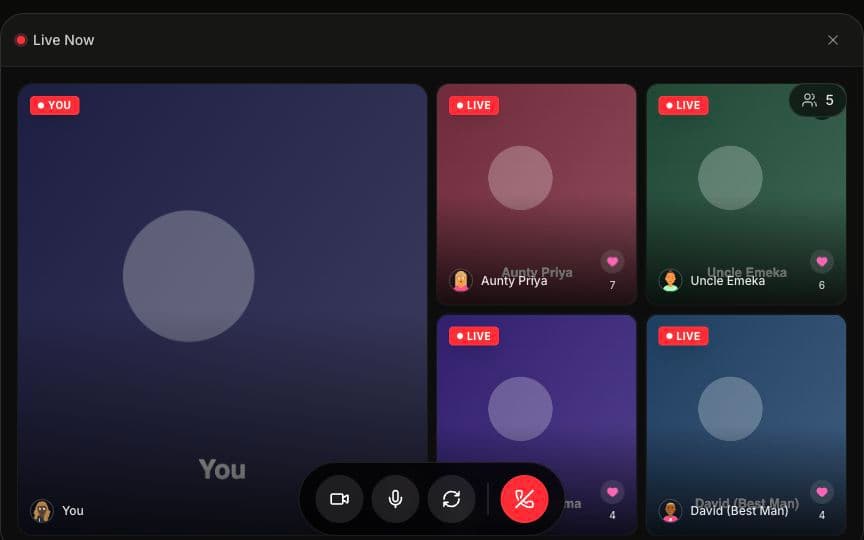
With Amara, remote guests can turn on their cameras and appear on the venue's projector or TV alongside in-person guests. Imagine the moment when the room sees Grandma waving from her living room in Lagos, or your college friends cheering from a watch party in London.
How it works:
- Share the wedding link with remote guests before the day (via WhatsApp, email, or text)
- Remote guests open the link in their browser — no app needed
- They tap to turn on their camera — one button, no configuration
- Their video feed appears on the big screen at your venue
- In-person guests see and react to them in real time
It turns a passive viewing experience into a real connection. When Dadi appears on the projector from Jaipur, or Uncle Chukwu waves from his living room in Enugu, the entire room reacts. That shared moment — remote and in-person guests experiencing the celebration together — is what makes two-way streaming fundamentally different from a YouTube link.
Ideas for Remote Guest Moments
Not sure how to weave remote guests into your night? Here are a few ideas couples love:
- The toast from abroad. Have a remote family member deliver a toast via live video on the big screen. The room can see them, hear them, and raise a glass together.
- Watch party reactions. Show a split-screen of watch parties in different countries during key moments — the hora, the baraat entrance, the first dance.
- Video guestbook blessings. Remote guests record video messages throughout the night that play on a loop at the venue. It's like a digital guestbook that's actually worth revisiting.
- Remote spraying. For Nigerian celebrations, remote aunties can appear on screen to "spray" — the gesture translates even through a camera, and the energy in the room multiplies.
- The blessing circle. During the ceremony — especially for Hindu, Muslim, or Christian ceremonies with a blessing component — cut to remote elders on the big screen so they can participate in the prayers alongside the room.
- Dance-off across continents. During the reception, put a remote watch party on the big screen and challenge them to a dance-off with the in-person guests. Works especially well during the hora, garba, or any owambe moment where energy is already high.
- The parent reveal. If one set of parents is remote — a father of the bride in Kolkata, a mother of the groom in Accra — bring their video feed onto the big screen right before the couple enters. The room gets to see their reaction to seeing their child as a bride or groom for the first time. There won't be a dry eye in the venue.
For more ways to involve remote and in-person guests together, check out our interactive wedding reception ideas and unique wedding entertainment ideas for 2026.
Audio and Video Quality Tips
Nothing ruins a live stream like buffering video or garbled audio.
For the venue (your side):
- Test Wi-Fi upload speed at the venue: aim for 10+ Mbps. See our full venue Wi-Fi guide
- Use a wired ethernet connection for the projector laptop if possible (eliminates Wi-Fi variability)
- Position the laptop near the Wi-Fi router or access point
- Have a 5G hotspot as backup ($50–$200 for the device)
- If your venue is a barn, garden, or historic building, Wi-Fi dead zones are common — walk the space with a speed test app before committing
- Audio is actually more important than video. A slightly pixelated picture is fine — garbled vows are not. Use a wireless lapel mic on the officiant or place a Bluetooth speaker near the ceremony area feeding into the stream
For remote guests (their side):
- Recommend they use Wi-Fi instead of cellular data
- Suggest closing other apps and browser tabs
- A quiet room makes their audio clearer (important for guestbook messages)
- Any modern phone, tablet, or laptop works — no special equipment needed
- For guests in India or Nigeria on mobile data, suggest they connect to the strongest available Wi-Fi network — a neighbor's, a local café, or a family member's home with broadband
General tips:
- Do a test run a few days before the wedding with 2–3 remote guests. This catches 90% of potential issues
- Check that the venue's Wi-Fi isn't behind a captive portal (hotel-style login pages can block streaming)
- Have someone designated as the "tech person" on the wedding day to troubleshoot
The Audio Hierarchy (Because This Is Where Most Streams Fail)
According to a 2026 Brides.com reader survey, audio quality was the number one complaint about wedding live streams — cited by 58% of remote guests who reported a poor experience. Video quality was a distant second at 23%. Here's the hierarchy of audio setups, from best to acceptable:
| Audio Setup | Quality | Cost | Difficulty |
|---|---|---|---|
| Wireless lapel mic on officiant → laptop | Excellent | $30–$80 | Easy |
| Bluetooth speaker near ceremony → laptop mic | Good | $0–$40 | Easy |
| External USB mic on streaming laptop | Good | $20–$50 | Easy |
| Laptop's built-in mic, positioned close | Acceptable | $0 | Easiest |
| Phone propped on a table across the room | Poor | $0 | Easiest (but don't) |
If you only invest in one piece of equipment for your stream, make it a $40 wireless lapel mic clipped to the officiant. Everything else — camera angle, lighting, video resolution — matters less than whether your grandmother in Mumbai can hear the vows clearly.
If you're working with a professional videographer, they can often manage the streaming setup alongside their filming duties. Here's our videographer's guide to live streaming weddings for the technical details. And if you're a wedding planner looking to offer streaming as part of your packages, see how planners can offer live video as a premium service.
The Day-Of Checklist
Wedding day moves fast. Here's a quick checklist so you (or your designated tech person) don't miss anything:
Morning / early afternoon:
- Confirm the venue Wi-Fi is working and test upload speed
- Set up the projector or TV screen and connect the streaming laptop
- Send a reminder message to all remote guests with the link, the ceremony time in their local time zone, and a note to charge their devices
One hour before the ceremony:
- Open the stream link on the venue laptop and confirm it's broadcasting
- Have your tech person do a quick video call with 1–2 remote guests to confirm they can connect
- Position the camera where it captures the ceremony — not just the couple's backs
During the ceremony:
- Keep the stream running continuously (no pauses for "let me switch cameras")
- If two-way video is on, show remote guests on the big screen during natural pauses — between readings, after the vows, during the recessional
Reception:
- Switch camera position to cover the dance floor, speeches, and cake cutting
- Queue up video guestbook messages from remote guests to play on screen between speeches
- Invite remote guests on camera for their toast or blessing
After the event:
- Download the recording and any video guestbook messages
- Share the replay link with guests who couldn't watch live
What It Costs (And What It Saves)
Let's be honest about the math. Here's a quick cost comparison for including 50 remote guests in your wedding:
| Approach | Cost | What guests get |
|---|---|---|
| Fly them in (avg. 50 guests × $1,500 flight + $400 hotel) | ~$95,000 | Full in-person experience |
| Zoom Pro (monthly plan) | $13/month | Two-way video, 40-min free limit, corporate feel |
| YouTube/Facebook Live | Free | One-way stream, ads, no privacy |
| Amara | $49–$149 | Two-way video on big screen, video guestbook, seating chart, no downloads |
For the cost of a single guest's airfare, you can include every family member who can't make the trip — and give them a better experience than a grainy FaceTime propped against a centerpiece.
A 2026 Brides.com analysis found that live streaming returned $47 in "perceived value" per remote guest when couples surveyed their families afterward — meaning remote guests felt the experience was worth roughly $47 each in terms of emotional closeness and participation. At $149 for hundreds of guests, the math is overwhelmingly in your favor.
For large weddings with 300+ remote guests, the per-person economics are even more compelling. See our guide on managing a 500-guest wedding with technology.
The Hidden Cost of Not Streaming
Here's a number that doesn't show up in any budget spreadsheet: according to The Knot's 2026 survey, 31% of couples who didn't live stream said a close family member expressed lasting disappointment about missing the wedding — and 18% said it caused a genuine family rift. The cost of a streaming platform isn't just measured against airfare. It's measured against the phone call from your grandmother a week later, asking why she couldn't see her grandchild get married.
Sharing the Recording After
Even with the best planning, some guests will miss the live stream. Make sure they can watch later:
- Keep the link active for at least a week after the wedding
- Download guestbook recordings from your platform and share via Google Drive, Dropbox, or a private link
- Video guestbook messages are saved permanently — remote guests who left messages can see the full collection. Learn more about video guestbooks vs. photo booths to understand the difference
- Create a highlights clip (3–5 minutes) for sharing on family WhatsApp groups — this is often the most shared content from the entire wedding
- Share via QR code at the reception so in-person guests can access the recording and guestbook too. Here's our QR code wedding guestbook guide
Frequently Asked Questions
Q: Do remote guests need to download anything to watch the wedding stream? A: Not with Amara. Remote guests open a link in their browser and join instantly — no app, no account, no installation. This is critical for older relatives, international guests on different phone ecosystems, and anyone who won't install an app for a single