Wedding Live Streaming for Planners: Scope, Quote & Handover
Offer wedding live video as a defined service with an operator, a rehearsal and a fallback. A software subscription alone is not a delivery plan. Before quoting, establish whether the couple wants a ceremony broadcast for relatives at home, live greetings on a venue screen, or recorded guestbook messages. Those are different deliverables with different equipment and staffing needs.
This is an operating checklist, not a claim about typical margins or market demand. Amara supplies wedding software; you and the venue still need to agree who handles AV, guest support and the run sheet.
Start with a three-way scope decision
Scroll sideways to see all columns.
| Couple's request | Scope to agree | Useful next guide |
|---|---|---|
| “Our family abroad should watch the ceremony” | Camera position, ceremony sound, viewing access, time zones, remote host and separate recording | Family-abroad streaming plan |
| “We want relatives and guests on the reception screen” | Display, operator, contributor access, sound routing and an approved segment | Live video wall setup |
| “We want to keep video wishes” | Contribution instructions, sign-in, upload checks, viewing permissions and copies | Video guestbook workflow |
Do not promise all three under an undefined “live-stream package.” A guest camera wall is not automatically a professionally filmed ceremony, and a live session is not automatically a saved recording.
Build a quote from actual work
Ask the venue for equipment and connectivity costs, then estimate your setup, rehearsal, event operation and follow-up time. Include travel, hired AV support and any fallback equipment that you commit to providing. State who owns each item and who pays for additional time.
Scroll sideways to see all columns.
| Quote line | Define the deliverable |
|---|---|
| Software | The wedding, package features and who administers access |
| Venue AV | Screen, approved cable route, adapter, sound connection and technician |
| Preparation | Access checks, guest instructions, QR signage and run-sheet entry |
| Rehearsal | Named devices, contributors, locations and a recovery test |
| Event operation | Operator, coverage window, handover and escalation contact |
| Follow-up | What files or instructions the couple receives and by when |
As of September 11, 2026, Amara Essentials is $59 USD per wedding for the video guestbook and seating features; Premium is $179 USD and adds the live video wall and projector mode. These are software package prices, not recommended resale prices or profit estimates. Check current pricing and discuss any partner arrangement separately through Amara for planners and venues.
Establish access without sharing a personal login
Assign a named wedding owner and agree who may manage the event. Use supported collaborator access where appropriate, with the permissions needed for the work. Do not pass the couple's personal login among vendors. Test the operator's actual access, then agree what access ends after the event.
Prepare guest instructions using the real workflow: Amara contributors open the wedding link, sign in, and allow camera/microphone access for live video. Guestbook uploads use saved video files. Provide a helper and a fallback for guests who cannot complete those steps.
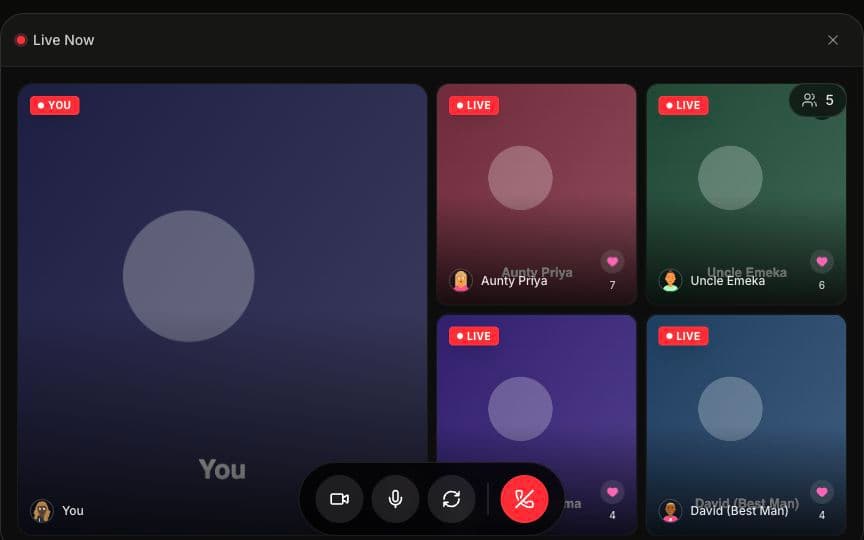
Sample content from Amara's public demo, captured September 8, 2026. Rehearse the actual wedding and venue connection before promising a display outcome.
Run a rehearsal with observable pass conditions
- Access: the operator and a test guest can enter using their own intended access, without the planner's signed-in browser masking a problem.
- Video: the planned cameras and screen remain usable from the positions you intend to use. Test the expected simultaneous feeds rather than extrapolating from one phone.
- Audio: the AV operator can identify and mute the active source, with no uncontrolled loop between room speakers and nearby microphones.
- Screen: a person at the intended viewing distance can see the content; the operator can switch to an approved holding slide.
- Recovery: disconnect a test feed, restore it and practice the fallback. Record who makes the decision to stop troubleshooting during the reception.
Use the venue network checklist with the venue. Do not turn an empty-room speed test into a guarantee for a crowded reception.
Put responsibility into the run sheet
A workable run-sheet entry names the segment, start cue, expected duration, operator, audio contact, remote host if needed, and fallback. Agree with the MC how to end the segment. Prepare remote relatives in advance with the correct time zone and a way to contact the remote host.
For display ideas and scheduling around speeches, see reception projector planning. Obtain agreement about who may appear on screen and which uploaded clips may be played. Public sharing of guest messages should not be an unspoken part of the service.
Close the job with a clear handover
Verify the deliverables you actually promised. Show the couple where saved contributions can be viewed, explain the difference between live sessions and uploaded files, and encourage them to keep their own copies of important videos. Check current storage and download terms before promising an archive or export format.
Confirm that the couple retains administrative access, record any unresolved uploads and end temporary vendor access as agreed. A clear handover is more useful than a claim that the content will be available “forever.”
Common questions
Q: How should a planner price live streaming? A: Build a quote from the software, venue AV, rehearsal, staffing, coverage window and follow-up you will provide. This guide does not supply a market-rate estimate or a guaranteed margin.
Q: Does Amara replace a videographer or AV technician? A: Amara provides wedding software. It does not supply ceremony camera coverage, sound engineering, venue equipment or an operator. Coordinate those responsibilities with the relevant vendors.
Q: What should be agreed before the couple books? A: Define the experience, equipment, access, staffing, rehearsal, fallback, recording arrangements and handover. Clarify which costs and responsibilities sit with the couple, planner, venue and other vendors.
Offer Amara to your clients
Discuss live video, guestbooks, seating charts and setup responsibilities for your weddings.
Apply for Early Access