Wedding seating chart
A wedding seating chart guests can use.
A wedding seating chart app for both sides of the reception: arrange your room in the browser, then share a wedding link where guests can search their name and find their table.
Free to explore. Included in Essentials at $59 USD per wedding.
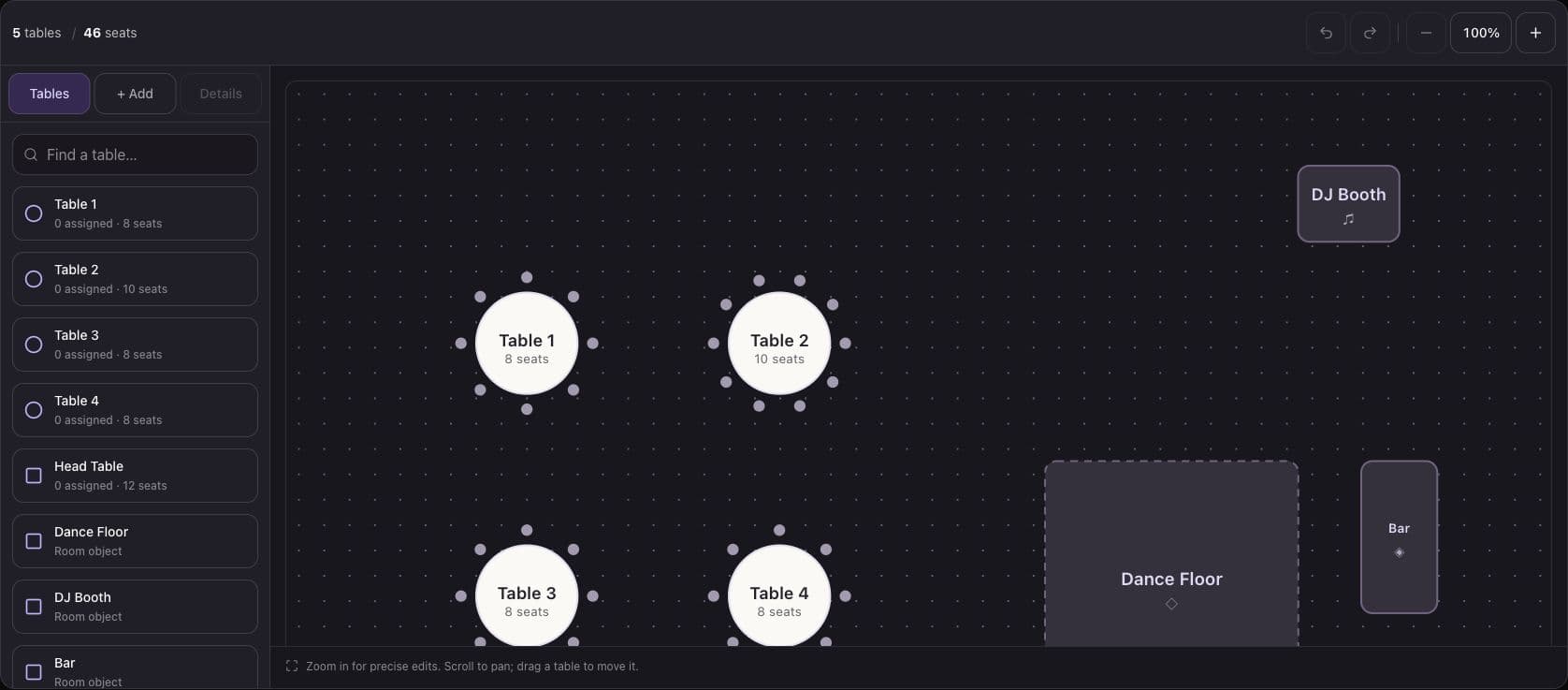
Arrange the room
Move round and rectangular tables, set capacities, and add objects such as a dance floor or bar. Use the table list and property controls for precise edits, with undo and redo while you work.
Review your guest list
Import or paste a CSV, inspect the preview, and correct invalid rows before importing. Names are required; table assignments, phone, email, and notes are optional. Unassigned guests can be seated later.
Share a table finder
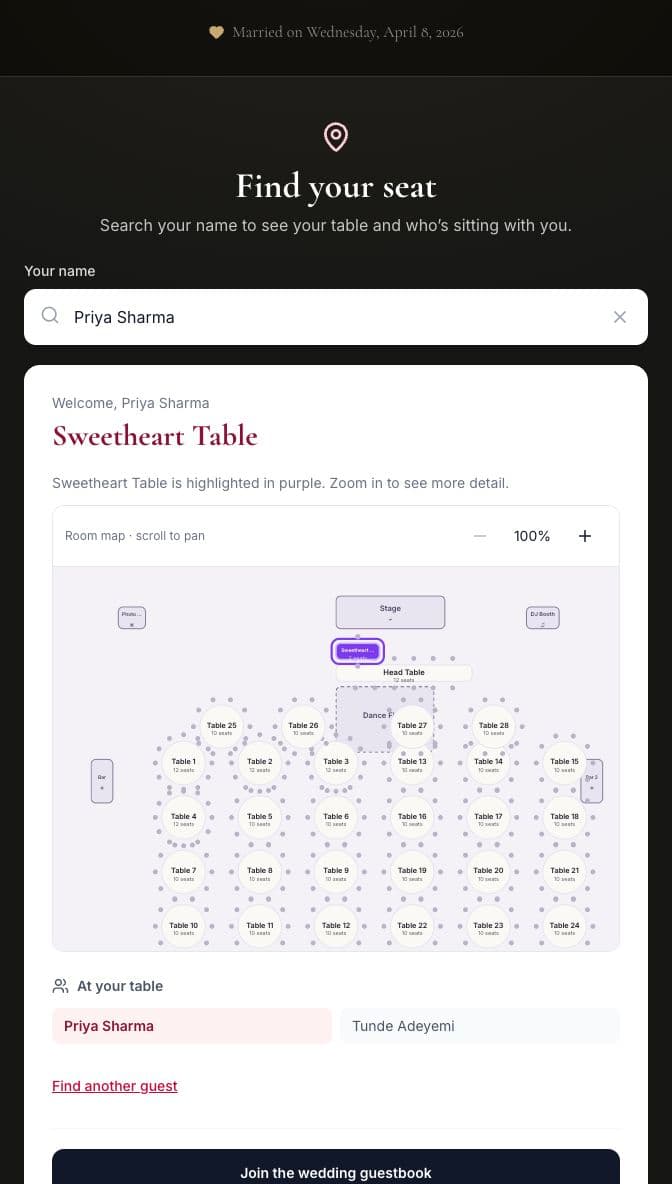
Guests open your wedding link, search their name, and select the matching person. Their assigned table appears with a highlighted map when it matches the layout. Name lookup does not require sign-in.
How to set it up
- 1
Import a small sample
Open Guests in your wedding admin and choose Import CSV. Use one row per person. Preview a few names, including an unassigned guest and a duplicate first name, before loading your full list.
- 2
Match tables and assignments
Create the tables in your floor plan using the same labels as your guest assignments. Set capacities, arrange the room, and save. Check any capacity warnings with your venue or planner.
- 3
Test the wedding link
On a second device, search a sample name and inspect the result. Change a table assignment, refresh the guest page, and verify it again before putting the QR code on welcome signage.
Includes named tables, an unassigned guest, an accented name, and a quoted comma. Replace the sample rows with your own guests; Name is the only required field.
Before the wedding
A tested 500-guest workflow
On September 7, we tested a synthetic 500-guest list and 50-table room in Chrome at desktop, tablet, and phone widths. Import, pagination, search, table renames, and unassigned states passed. These browser checks are not a guarantee for every phone or venue connection.
Keep a vendor and arrival fallback
Export your guest list as CSV and keep an alphabetical printed copy with a helper. Amara assigns tables, not individual chairs, and does not generate a venue PDF floor plan or automatically optimize seating relationships.
Common questions
Can I use Amara on a phone?
The editor and guest lookup run in a browser and adapt to phone widths. The table list and detail controls let you edit without relying only on dragging. Try your actual device before the event; our responsive testing used desktop Chrome at phone widths.
Can I import guests without a table?
Yes. Name is required, but Table may be blank. The preview reports invalid rows before import, and unassigned guests see that their table is still being arranged. A single import accepts up to 2,000 guests.
Will private guest details appear in seat search?
The public seating lookup exposes guest names and table assignments, including other people at the selected table. It does not expose the admin list's phone numbers, email addresses, or private notes.
What happens if I rename or delete a table?
A saved table rename preserves linked guest assignments. Deleting a table unassigns its guests. Review the updated guest list and refresh the public wedding page after saving changes.
Is the seating chart free?
Amara is free to explore. Seating is included in the $59 USD Essentials wedding package, with no per-guest fee. Premium is $179 USD and adds live video and projector features. A 2,000-row import limit is a per-import limit, not a package guest allowance.
Plan the details
All wedding guidesCompare wedding seating chart apps
Compare planning tools, guest seat finders, pricing, and exports.
Wedding projector ideas
Explore ways to show guest videos at the reception.