Digital vs Paper Wedding Guestbook: Which Should You Choose?
Choose a paper wedding guestbook if handwriting and an offline keepsake matter most. Choose a digital video guestbook if you want to hear guests' voices and collect messages from people who cannot attend. Choose both if your guests need different ways to contribute. Neither format guarantees participation: placement, clear instructions and a friendly invitation matter more than an advertised response rate.
Amara sells a video guestbook, so this comparison includes our product's limits alongside its strengths. We do not have verified participation-rate data comparing paper and digital guestbooks, and we do not use survey percentages to predict how many of your guests will contribute.
Compare the guest experience
Scroll sideways to see all columns.
| Decision | Paper book | Digital video guestbook | Hybrid |
|---|---|---|---|
| What you keep | Handwriting, drawings and written wishes | Saved clips with voices and expressions | A physical book plus video files |
| What a guest needs | Access to the book and a working pen | A compatible phone, a connection and any required sign-in | A choice of either route |
| Venue connection | Not required | Needed to upload; a guest can record first and upload later | Paper remains available if uploading fails |
| Family at home | Arrange a card or letter to add later | Share the contribution link and test access | Include remote clips alongside the book |
| Help on the day | Someone points out the book and replenishes pens | Someone explains camera, sign-in and upload steps | A helper explains both options |
| Long-term care | Store the book safely; photograph important pages | Check export/retention terms and keep your own copies | Maintain both archives |
A digital guestbook is a category, not one uniform feature set. Some products collect text or photos; others collect audio or video. Check what the particular tool accepts instead of assuming every format is included. Amara's video guestbook uses saved video uploads; a live camera feed is a separate feature.
Costs to include in your decision
For paper, price the book, pens, sign, table space and any printing you want afterward. A photo album with instant-camera pictures also needs film and someone to manage the station. These are a shopping checklist, not a market-price estimate.
For digital, check the package price, upload limits, guest authentication, viewing access, download options and storage terms. Include signage and any hired screen or operator in your budget. As of September 11, 2026, Amara's video guestbook is in Essentials at $59 USD per wedding; Premium at $179 USD adds the live video wall and projector mode. Verify the current packages before purchasing. A paid package does not include venue AV rental or connectivity.
You can run a digital guestbook without a reception screen. Decide whether you want a keepsake first; a projector is a separate production choice.
How Amara's digital guestbook works
- Open the wedding's guest link in a browser. Guests do not install a dedicated Amara app.
- Record a short message with the phone camera, ideally somewhere quieter than the dance floor.
- Sign in, select the saved video in the upload flow and add a message.
- Submit and wait for completion. Verify that the contribution appears; selecting a file alone does not mean it was saved.
- Keep the original clip until the upload succeeds, and keep your own copies of important memories afterward.
The upload interface accepts files up to 100 MB. File format, processing and the connection can still affect success. Test a real clip on the phones your family uses. If a guest cannot upload, ask them to keep their recording and agree on another way to send it.
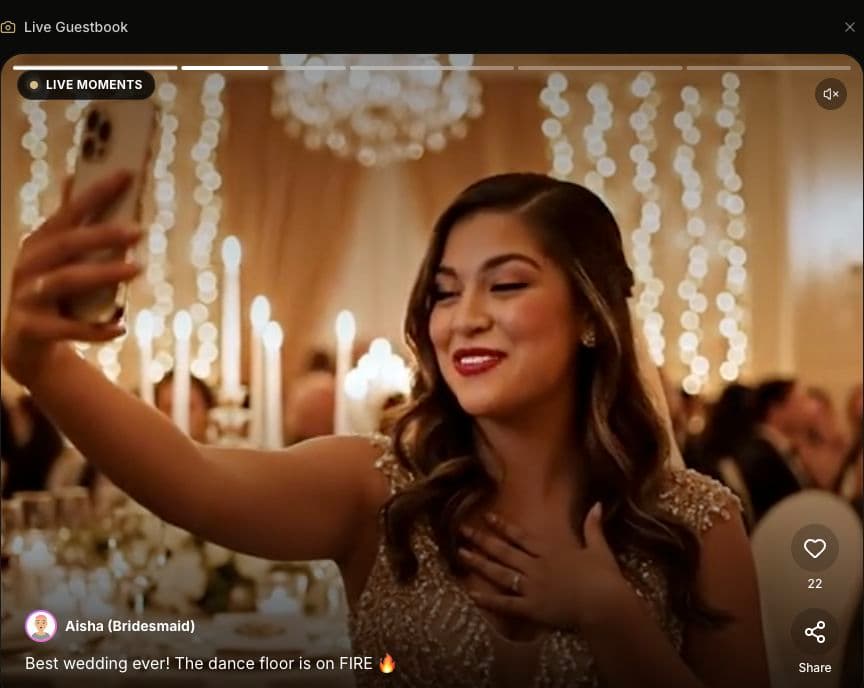
Amara's public demo, captured September 8, 2026, with simulated names and messages. Explore the sample wedding to see the guest experience.
Make a hybrid guestbook easy to understand
Put the book and QR sign together with one instruction: “Leave a written wish here, or record a video message using this link.” Do not imply that guests must do both. Add a printed short URL for people who cannot scan the QR code and offer help without assuming everyone is comfortable signing in on a phone.
A useful video prompt is: “Tell us a favorite memory, or give us one piece of advice.” A useful paper prompt is: “What should we remember about today?” Give guests room to choose a short message rather than promising a particular length or emotional response.
Explain where contributions may appear before collecting them. A message intended for the couple may not be suitable for a room-wide display or public sharing. Check the wedding's visibility settings and agree on a review workflow before showing clips. See the QR guestbook setup guide and reception screen planning guide.
Rehearse before printing the signs
Test the printed code at its actual size, open the link on a second phone, complete the sign-in and upload steps, and play the saved result. Check the venue connection where guests will sit, not just at reception. Ask one person unfamiliar with the setup to follow the sign without coaching; revise any step that confuses them.
After the wedding, collect the book, photograph irreplaceable pages and organize the digital files you want to keep. Hosted storage is not a substitute for an archive you control. For a wider planning checklist, read the digital wedding guestbook guide.
Common questions
Q: Is a digital guestbook better than a paper guestbook? A: It depends on the keepsake and guest experience you want. Paper preserves handwriting and works offline. Video preserves voices and can include remote contributors, but adds device, connection and upload steps. Offering a choice can suit a mixed group.
Q: Do guests need to sign in to Amara? A: Yes, guests sign in before submitting a video. They can open the wedding link in a browser without installing a dedicated app. Include the sign-in step in your instructions.
Q: Can a video guestbook work with poor venue Wi-Fi? A: Guests can record on their phones and upload later on a stable connection. Keep original clips, provide a paper alternative and verify uploads rather than assuming a submission succeeded.
Q: Does live streaming automatically save a guestbook message? A: No. A live camera session and a saved guestbook upload are different workflows. Record important moments separately and confirm any guestbook contribution after uploading.